






Explore the Docs · Community Help · Roadmap · View G2 Reviews
Important
Star this repo or keep an eye on it to follow along.
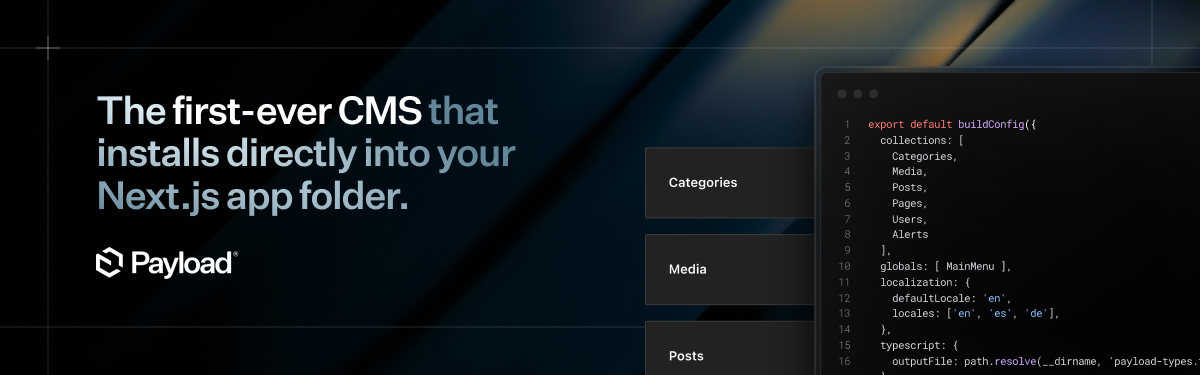
CMS is the first-ever Next.js native CMS that can install directly in your existing /app folder. It's the start of a new era for headless CMS.
Benefits over a regular CMS
- It's both an app framework & headless CMS
- Deploy anywhere, including serverless on Vercel for free
- Combine your front+backend in the same
/appfolder if you want - Don't sign up for yet another SaaS - CMS is open source
- Query your database in React Server Components
- Both admin and backend are 100% extensible
- No vendor lock-in
- Never touch ancient WP code again
- Build faster, never hit a roadblock
Quickstart
Before beginning to work with CMS, make sure you have all of the required software.
pnpx @hanzo/create-cms-app@latest
If you're new to CMS, you should start with the website template (pnpx @hanzo/create-cms-app@latest -t website). It shows how to do everything - including custom Rich Text blocks, on-demand revalidation, live preview, and more. It comes with a frontend built with Tailwind all in one /app folder.
One-click deployment options
You can deploy CMS serverlessly in one-click via Vercel and Cloudflare—giving everything you need without the hassle of the plumbing.
Deploy on Cloudflare
Fully self-contained — one click to deploy CMS with Workers, R2 for uploads, and D1 for a globally replicated database.
Deploy on Vercel
All-in-one on Vercel — one click to deploy CMS with a Next.js front end, Neon database, and Vercel Blob for media storage.
One-click templates
Jumpstart your next project with a ready-to-go template. These are production-ready, end-to-end solutions designed to get you to market fast. Build any kind of website, ecommerce store, blog, or portfolio — complete with a modern front end built using React Server Components and Tailwind.
🌐 Website
🛍️ Ecommerce 🎉 NEW 🎉
We're constantly adding more templates to our Templates Directory.
If you maintain your own, add the cms-template topic to your GitHub repo so others can discover it.
🔗 Explore more:
✨ CMS Features
- Completely free and open-source
- Next.js native, built to run inside your
/appfolder - Use server components to extend CMS UI
- Query your database directly in server components, no need for REST / GraphQL
- Fully TypeScript with automatic types for your data
- Auth out of the box
- Versions and drafts
- Localization
- Block-based layout builder
- Customizable React admin
- Lexical rich text editor
- Conditional field logic
- Extremely granular Access Control
- Document and field-level hooks for every action CMS provides
- Intensely fast API
- Highly secure thanks to HTTP-only cookies, CSRF protection, and more
🗒️ Documentation
Check out the CMS website to find in-depth documentation for everything that CMS offers.
Migrating from v2 to v3? Check out the 3.0 Migration Guide on how to do it.
🙋 Contributing
If you want to add contributions to this repository, please follow the instructions in contributing.md.
📚 Examples
The Examples Directory is a great resource for learning how to setup CMS in a variety of different ways, but you can also find great examples in our blog and throughout our social media.
If you'd like to run the examples, you can use @hanzo/create-cms-app to create a project from one:
npx @hanzo/create-cms-app --example example_name
You can see more examples at:
🔌 Plugins
CMS is highly extensible and allows you to install or distribute plugins that add or remove functionality. There are both officially-supported and community-supported plugins available. If you maintain your own plugin, consider adding the cms-plugin topic to your GitHub repository for others to find.
🚨 Need help?
There are lots of good conversations and resources in our Github Discussions board and our Discord Server. If you're struggling with something, chances are, someone's already solved what you're up against. 👇